Build landing pages from a Claude chat.
Connect Landra to Claude and build pages by talking. Give Claude a brand URL and ask for an advertorial, listicle, or presell page. Read it in the chat, fix the copy, publish it live. One URL to set up, no API keys.
Works with paid Claude plans (Pro, Max, Team, Enterprise). Your first page is free with a trial. Already on Landra? Connect in a minute →

The whole Landra pipeline, one ask away.
It is the same engine behind the Landra builder, start to finish. Everything below works from chat.
Analyze any brand
Give Claude a brand URL. Landra reads the whole site and saves what it learns for your next page.
Generate complete pages
Complete advertorials and listicles, with AI images. Add an angle, like "aimed at new moms", or pick a premium template.
Read pages in chat
Claude shows you the finished page right in the chat, and can list and read every page in your account.
Edit by asking
Change headlines, paragraphs, prices, and offer details. Claude changes exactly what you ask, nothing else.
Undo in one line
Landra keeps a backup from just before the last change. Say "revert that" and it is back.
Publish when you say so
The page only goes live when you say so. It publishes to a hosted URL, and the Landra editor can push it to Shopify.
This is what comes out.
Real published Landra pages, each built from a brand URL in minutes. Pages like these cut our own cost per customer by 46%.


Connected in about a minute.
Three steps, all inside Claude. Nothing to install. You paste one URL. New to Landra? Create your free account first. It takes a minute, and your first page is free with a trial.
Add custom connector
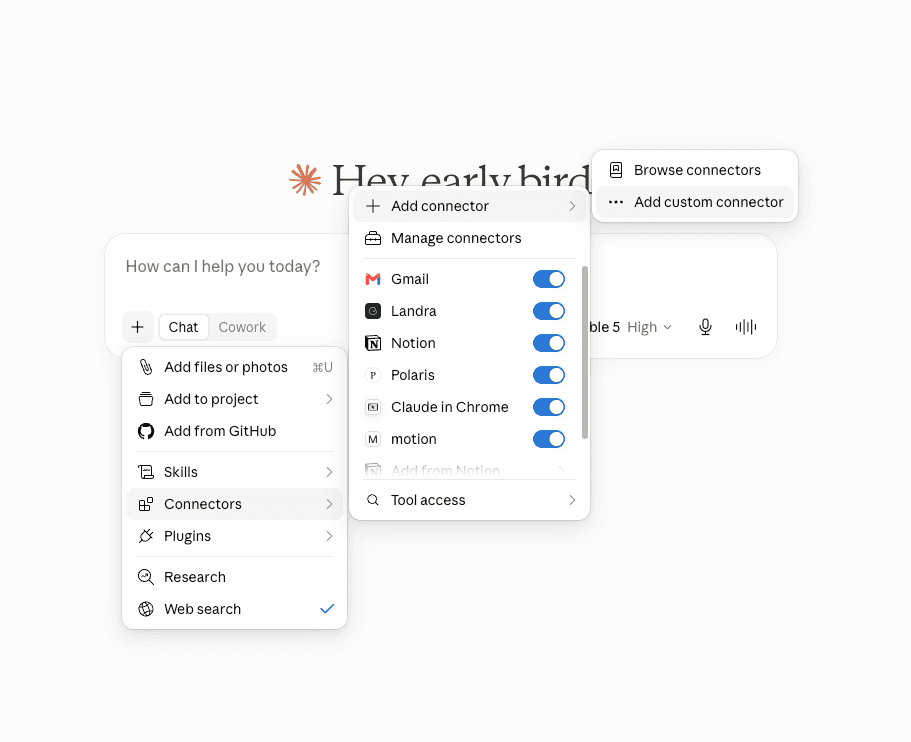
In any Claude chat, click the + button, then Connectors, then Add custom connector.
Paste the connector URL
Name it Landra, paste this URL, and click Add. Leave the other fields empty.
https://www.getlandra.com/api/mcp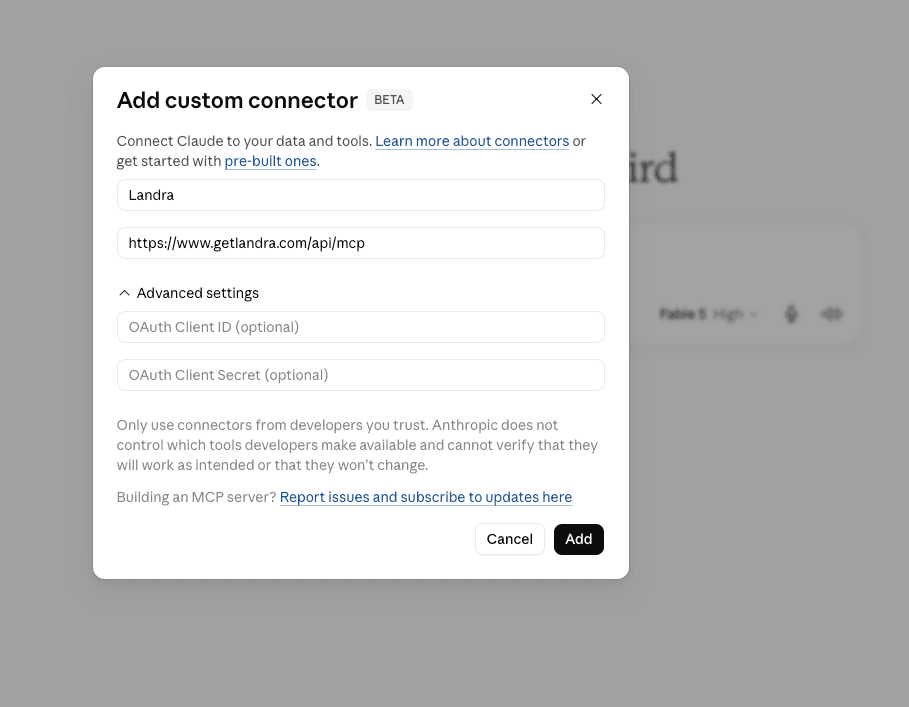
Approve and get building
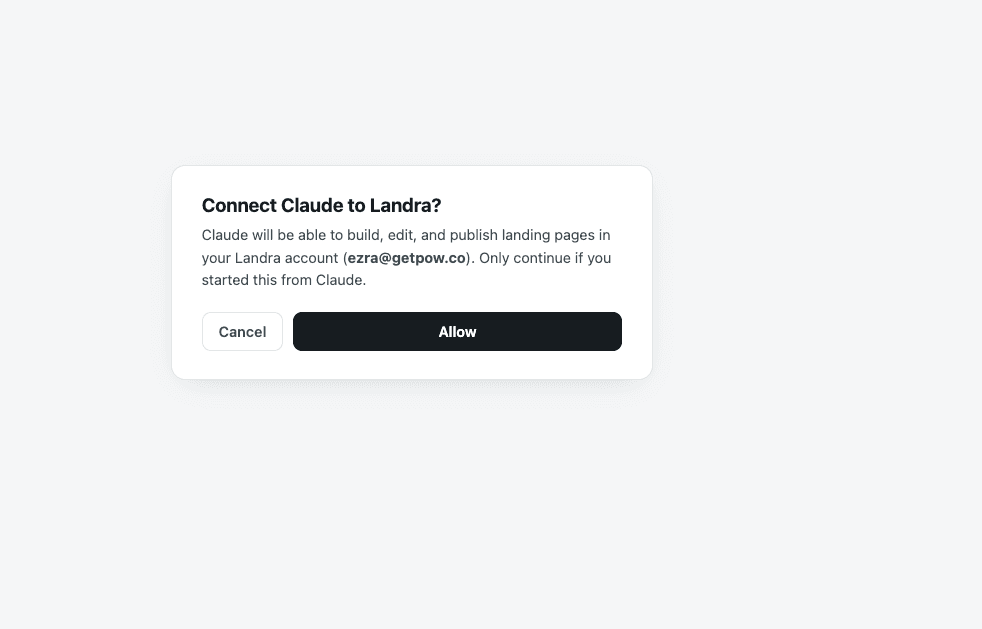
Claude opens Landra. Sign in, click Allow, and you're set for every future chat. Ask for your first page.
Works in Claude on the web and in the desktop app. On Team and Enterprise plans an admin may need to add the connector for the workspace. Hit a snag? The step-by-step setup guide covers the common ones.
Let Claude supercharge your page building.
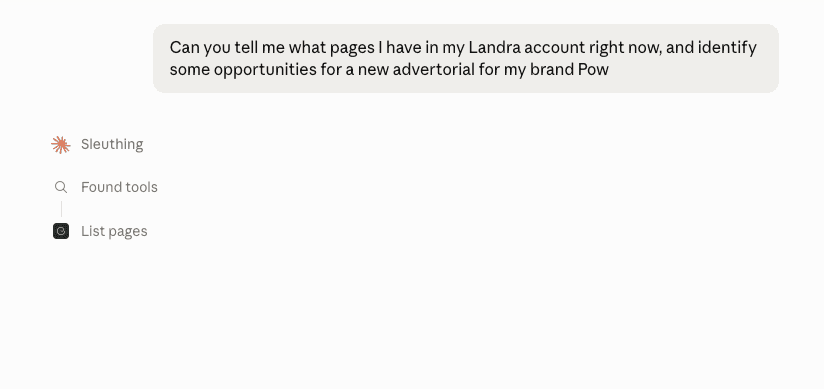
No commands to learn. Say what you want, Claude picks the right Landra tool.
Built so an AI cannot wreck your page.
Handing an AI the keys to live marketing pages should worry you. It worried us, so the limits are enforced in Landra's code, not in a prompt.
Your live page is untouchable
Claude only works on your draft. Your live page never changes until you say publish, and Claude checks with you first.
Locked fields stay locked
Star ratings, review counts, legal text, and bylines are out of Claude’s reach. Not discouraged. Unreachable.
No invented testimonials
Claude can type in a real customer quote you hand it, word for word. It is never allowed to make one up or dress one up.
Plays nice with the editor
Keep the editor open while Claude works. Changes show up in seconds, and if you are both editing, Landra asks which version to keep.